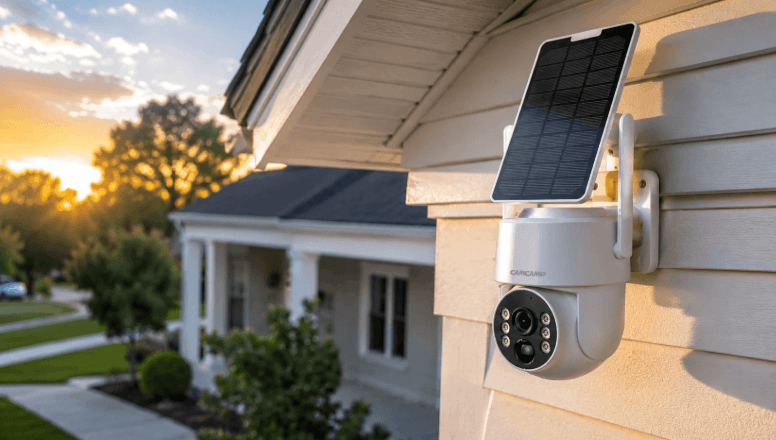

WiFi cameras have changed who can install a security system. Not long ago, adding a camera meant running cable through walls and ceilings. Today, many people unbox a camera, scan a QR code with their phone and have live video within minutes. That convenience is real, but it comes with trade-offs that are worth understanding before you rely on wireless video to protect a home or business.
Where WiFi Cameras Make the Most Sense
Wireless cameras are an excellent fit for situations where running cable is difficult, expensive or not allowed:
- Rented apartments and homes, where tenants cannot drill through walls or leave permanent wiring behind.
- Indoor monitoring of living rooms, nurseries, entryways and pets.
- Small offices and shops that need a few cameras quickly.
- Temporary coverage, such as during renovations or while a permanent system is being planned.
- Supplementing a wired system in a spot where cabling is impractical.
For these uses, modern WiFi security cameras for homes and apartments offer a lot: high-resolution images, two-way audio, pan and tilt, human detection that ignores most false alerts, and full-color night imaging on many models.
Understanding the Limitations
A WiFi camera is only as good as the wireless connection it relies on. That brings several practical limits.
Signal strength and walls. WiFi signals weaken as they pass through brick, concrete, metal and even some types of glass. A camera that works perfectly beside the router may stutter at the far end of the garden. The 2.4 GHz band travels farther and through walls better, while 5 GHz offers more speed but shorter range.
Bandwidth. Every camera uses some of your network’s capacity. A single high-resolution camera streaming continuously can use several megabits per second. Add four or five cameras, plus streaming television and video calls, and a modest home router can struggle.
Power still matters. “Wireless” usually refers to the video connection, not power. Most WiFi cameras still need to be plugged into an outlet. Battery models remove that need but typically record only when triggered and need regular charging, which can mean missed moments.
Interference and reliability. Wireless connections can be disrupted by neighboring networks, microwaves and other electronics. For security purposes, it is also worth knowing that wireless links are generally easier to disrupt than a wired connection. For most homes this is a minor concern, but for high-value commercial sites it is a reason to prefer cabling for critical cameras.
How to Get the Best Results
A few simple steps make a big difference to how well WiFi cameras perform:
- Test the signal at each planned mounting spot with your phone before installing.
- Add a mesh WiFi system or access point if coverage is weak in key areas.
- Place the router centrally and away from thick walls or metal cabinets.
- Use a dedicated network or guest network for cameras where possible, keeping them separate from computers.
- Change default passwords, enable two-factor authentication on the app and keep camera firmware updated.
- Choose cameras with local recording, such as a microSD slot, so footage is still captured if the internet drops.
Local Storage Versus the Cloud
Many consumer WiFi cameras push users toward monthly cloud subscriptions. Cloud storage has advantages, since footage survives even if a camera is stolen. However, subscriptions add up over time, especially with several cameras. Cameras that support onboard SD card recording, or that can connect to a local network video recorder using the ONVIF standard, give you more control over where your footage lives and what it costs.
When to Choose Wired Instead
For larger properties, outdoor perimeters, parking lots and any business that depends on continuous recording, wired cameras remain the more dependable choice. A single network cable can deliver both power and data to an IP camera using Power over Ethernet, eliminating outlets and providing a stable connection that is not affected by wireless congestion. Many homeowners end up with a mix: wired cameras on the exterior and WiFi cameras indoors.
The Verdict
WiFi cameras are a smart, affordable choice for renters, homeowners and small spaces, and they are easier to install than ever. Their weaknesses are predictable: signal range, bandwidth, power and the general reliability of wireless links. Plan around those limits, secure your network, and use local recording where you can. Where every second of footage is critical, back wireless cameras up with a wired system.